
Pipe Streams
16 February 2026
I've been quite keen to toy with the streaming data capabilities of Fabric for some time now - but thought it might be best to document my journey playing with it against a more "classic" stream approach. I have to confess, my streaming data experience is broadly in open source software, rather than anything 'in-house' at Microsoft, so the experience can hopefully be a good one to demystify the new tooling.
The Setup
So, obviously, I'll be doing my best to match the two approaches - effectively going from one end (a source generator) to the other (a storage solution) via two entirely separate paths. We'll keep the data packets very small and try to ensure that we're not being caught out by volumes or complexity. The overall structure should look like:
- Generator
- Ingest
- Work
- Storage
The different tech stacks have different lenses on how the work is done, so I'll try to be quite clear and consistent in calling out the pros and cons of those.
The generator will be a simple Python script running on a VM, but it will be segregated from the ingestion VM (although, in fairness, I'll be leaving it in the same VNet to avoid my life, and all meaningful friendships, being ruined by an extensive networking configuration exercise).
So our paths are:
OS (Open Source) Configuration
In this configuration, we'll use a VM, tooled up with Zookeeper, Kafka, Kafka Connect, and Postgres. We'll do this with Docker, since containerisation is best practice in these scenarios - and it gives us the most realistic version of a classic streaming setup.
- Generator
- Kafka (Ingest)
- Kafka Connect (Work)
- Postgres (Storage)
SaaS (Fabric) Configuration
For the Fabric build, it's actually a lot cleaner - which is no surprise, really. You don't get to toy with the underlying bits and there's fewer connectivity elements at play - it's much more about Microsoft's plug and play box. With that in mind, the target is below
- Generator
- Eventstream (Ingest + Work)
- Lakehouse (Storage)
Before I start...
...a storage solution like a lakehouse or Postgres is less commonly the end-state use-case for streaming data. It absolutely can be, and for some analytical use cases, storage is ideal, but normally some high-refresh, high-query rate end-state is preferred (such as a Fabric Eventhouse or something featuring Apache Pinot, or Apache Druid, or ClickHouse or whatever), but we'll tackle that in another post - for now, let's just dig into the streaming pipeline and get ourselves an output.
Phase One: The OS Build
I was really keen to create at least SOME sense of structure around the estate so, as mentioned, I dropped the stream generation onto its own, ultra lightweight, ultra cheap VM (shout out Central India region in Azure!). This was a relatively straightforward build. I used the confluent_kafka package and Python to develop a producer that would generate a simple "sensor" reading over time.
The Generator
Admittedly, I was tempted to create a more dynamic packet to help prettify the output once I end up visualising it - but for now, a simple random integer will be sufficient. To generate this, I've used an envelope defining the json schema and providing the payload:
1os_envelope: {
2    "schema": {
3        "type": "struct",
4        "fields": [
5            {"type": "string", "optional": False, "field": "sensor_id"},
6            {"type": "int32", "optional": False, "field": "reading_value"},
7            {"type": "string", "optional": False, "field": "timestamp"}
8        ],
9        "optional": False
10    },
11    "payload": {
12        "sensor_id": s_id,
13        "reading_value": val,
14        "timestamp": ts
15    }
16}
With that as the generated data from the producer (and appropriate data inserted to the variables), we can set up the config to the 'other' VM and ensure that the data can be delivered. Obviously, given this will run in a loop, it's worth doing a quick sense-check that your data are producing before you try pushing it out (since we have to set up the ingestion on the other side). Set up a loop with sensor reads populating every second and push it to the console for now.
Once you've got that working, you need to define the config for the other VM and complete the push using the envelope, config and confluent_kafka.
First, I'll define my os_ variables, specifically os_config and os_topic:
1os_conf = {
2    'bootstrap.servers': '***target-VM-IP-here***:9092',
3    'client.id': f"{socket.gethostname()}-os"
4}
5
6os_topic = "sensor-readings-raw"
Good start, once those are defined, it's really a straight shoot to fire the content off to the other VM. First, I built the producer object (before going into the loop):
p_os = Producer(os_conf)
Then, inside the loop, I simply produced the message:
1p_os.produce(
2  os_topic,
3  json.dumps(envelope).encode('utf-8'),
4  callback = delivery_callack
5)
The 'delivery_callback' object is a function I created to absorb the response to the production of the message. From here, I triggered the network sends with a poll (show below) and sent the loop to sleep for a second. As long as my 'val' variable has a randomised (or any) number, I'll be able to see a regular output, but the randomised figure makes it easier, since it frequently changes.
p_os.poll(0)
sleep(1)
For completeness, I'll also include an example delivery_callback function:
1def delivery_callback(err, msg):
2
3    if err:
4        print(f"Error: {err}")
5
6    else:
7        print(f"Acknowledgement from OS for topic: {msg.topic()})
The Ingestion (Kafka)
The starting point here is to ensure the installation of Docker, which ensure that our infrastructure is handled via a straightforward docker-compose YAML file. Through that file we're configuring zookeeper, kafka, kafka connect and postgres itself.
In this configuration, I had to set up kafka with two listeners. One for the edge traffic from our stream generator and one for the internal Docker traffic. I mapped external Docker volumes for postgres and kafka, which helps make sure the data persists through a VM/container restart, and I made sure to include the JDBC driver with the Kafka Connect container.
The Storage (Postgres)
Even though the flow says the "Work" section is next, it never is... so here I am setting up storage first. It is funny that as engineers the last part of our work is never the last part of the pipeline. Nevertheless, I digress. Once that infrastructural piece is complete, I needed to set up the Postgres table for the sink, the reality was that I experience a multitude of errors trying to get this connected - and I'm not really sure why. I could almost certainly have solved it with a little love and care, but I had neither - given I was relatively hungry and could see the pizza shaped light at the end of the tunnel - so, I settled for just setting up the database an adopting the auto.create feature in Kafka Connect to take away the immediate problem. Ideal? No. Performance in terms of time sensitivity? Yes.
Decision made.
(Now that I'm showing myself up, I'm going to have to come back and do it properly at some point - but that is not this day).
The Work (Kafka Connect)
Finally, I sent a POST to the Kafka Connect API to ensure that ingested data are mapped to the Postgres database appropriately. This was a straightforward, if a little verbose. The POST request, including the auto.create element took the form:
1curl -X POST http://localhost:8083/connectors -H "Content-Type: application/json" -d '{
2    "name": "postgres-sink-connector",
3    "config": {
4        "connector.class": "io.confluent.connect.jdbc.JdbcSinkConnector",
5        "tasks.max": "1",
6        "topics": "sensor-readings-raw",
7        "connection.url": "jdbc:postgresql://postgres:5432/juicyu_db",
8        "connection.user": "admin",
9        "connection.password": "password",
10        "insert.mode": "insert",
11        "table.name.format": "sensor_readings",
12        "value.converter": "org.apache.kafka.connect.json.JsonConverter",
13        "value.converter.schemas.enable": "true",
14        "auto.create": "true",
15        "pk.mode": "none"
16    }
17}'
Ultimately, that's us done. It's an OS stack and it could not be a simpler streaming example (not even lying, I cannot imagine how it could be simpler), but ultimately the point is reviewing the setup versus a more explicity (I hope) "plug-and-play" Fabric stack.
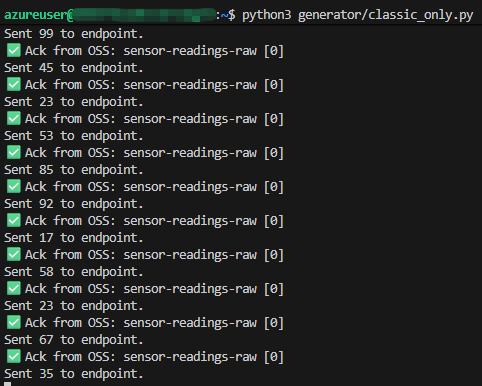
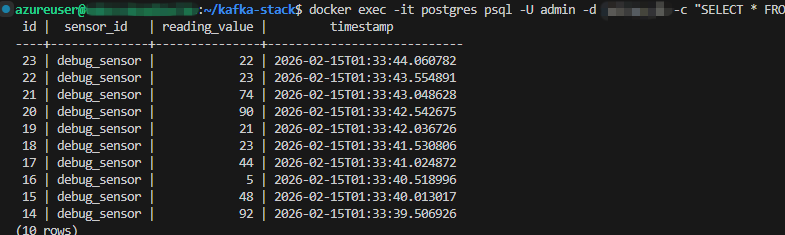
It's sending data, though - praise the Lord!
Phase One: Takeaways
I'd like to take this moment to refer everybody back to the article on how I "like the misery" of programming. This was the truest sense of that miserable joy. It was all configuration, customisation, open source version dependency and good old fashioned code junkie type work. As much as I call it misery, I do love it. It's very fair to say that the customisability of this sort of pipeline vastly outstrips Fabric and, while the configuration is more involved, you're not talking about anything longer than a half day, by the time you've factored in IaC processes and peer reviewed the code.
It is easy to see how, on less "enterprise-ready" teams, individuals could fumble here. There are networking challenges. There will be depth of skill required for the individual tooling (Docker, Kafka, Kafka Connect, Postgres - we haven't even visualised it yet). There will be IaC challenges. That's a lot of specialties if the estate is large which, given it's streaming data, is almost a certainty.
I also struggled (albeit not for long) with what I suspect were poison pills in the setup. Often messages or topics would hang and require extensive interventions to 'get rid'. A solution for wiping message retention helped, but in a production estate, something significantly more robust to errors is probably necessary.
Phase Two: The Fabric Build
To say that this phase was simpler would be a gross understatement. Fabric has long been admirable for its desire to provide arguably the most cohesive, plug-and-play data experience in history, but considering the general complexities of setting up other tools, like streaming data ingestion, with no supporting platform, it's amazing how easy they've made it.
The Generator
Where the generator was concerned, I actually needed a much smaller, much less verbose data packet. I'm sure if I'd been able to quickly resolve the data type issues in Postgres, I would have been able to do the same there (assuming they were data type issues). For Fabric, I'm using the exact same integer generation to provide the payload:
1fab_payload: {
2    "sensor_id": s_id,
3    "reading_value": val,
4    "timestamp": ts,
5    "stream_type": "Fabric_Mirror"
6}
With that as the generated data from the producer (and appropriate data inserted to the variables), we can set up the config to Fabric. Again, I'll define my os_ variables, specifically fab_config and fab_topic:
1fab_conf = {
2    'bootstrap.servers': '*microsoft-guid*.servicebus.windows.net:9093',
3    'security.protocol': 'SASL_SSL',
4    'sasl.mechanisms': 'PLAIN',
5    'sasl.username': '$ConnectionString',
6    'sasl.password': '*microsoft-sas-endpoint-string',
7    'client.id': f"{socket.gethostname()}-fab"
8}
9
10fab_topic = "es_*fabric-provided-guid*"
The Fabric config is significantly more involved that just polling the other VM with Kafka Connect but, once the configuration is defined, it's absolutely laughable how quick the next steps are. I simply added the same strings of code to the codebase, except with the Fabric configurations and variables:
p_fab = Producer(fab_conf)
Then, inside the loop, I simply produced the message:
1p_fab.produce(
2  fab_topic,
3  json.dumps(fab_payload).encode('utf-8'),
4  callback = delivery_callack
5)
6
7p_fab.poll(0)
8sleep(1)
I have also included the same 'delivery_callback' function specified above, except I've extended to make sure the Fabric response is included.
The Ingestion (Eventstream (sshhhh, secretly also Kafka))
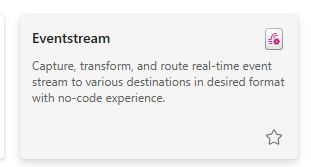
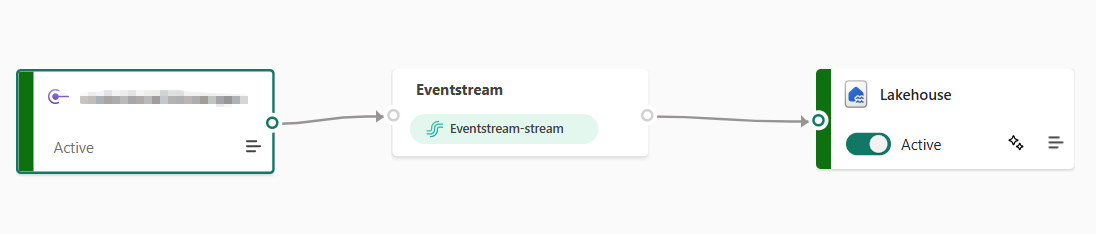
Unlike our revious example, this could not be faster. In the Microsoft Fabric GUI, we only have to create an "Eventstream" object, which will give us everything we need for the generator to fire off events and have them collected:
It'll also prompt us for a sink to drop the events into once we access the canvas:
The Storage (Fabric Lakehouse)
In much the same way as with Postgres and Docker, I'm going to gloss over the creation of the sink estate (it's actually a Lakehouse I made earlier for a different use case - but it's a nailed on example of Fabric's ability to really bring clarity to the "everything in; single source out" world it's trying to advocate for). I also went with a Fabric Lakehouse because I considered it 'more comparable' to a Postgres database - unlike an Eventhouse or ClickHouse or something like that.
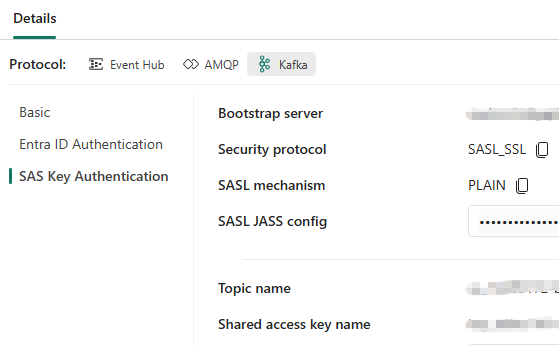
After eventually publishing (I fumbled about for a good 15 minutes looking for something that didn't exist before realising it was only available AFTER publishing), we get access to the core information from which we eventually populate our fab_conf object:
The Work (Eventstream also)
This bit basically required no effort.
The topic name, bootstrap server, and shared access key name are the three elements required to populate the fab_topic variable, and the bootstrap.servers and sasl.password elements from the fab_conf JSON object. Once added... simply spool up the generator again and voila:
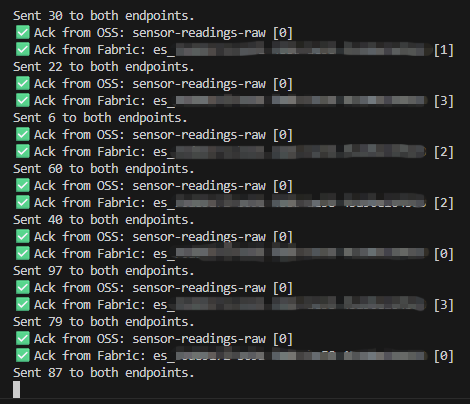
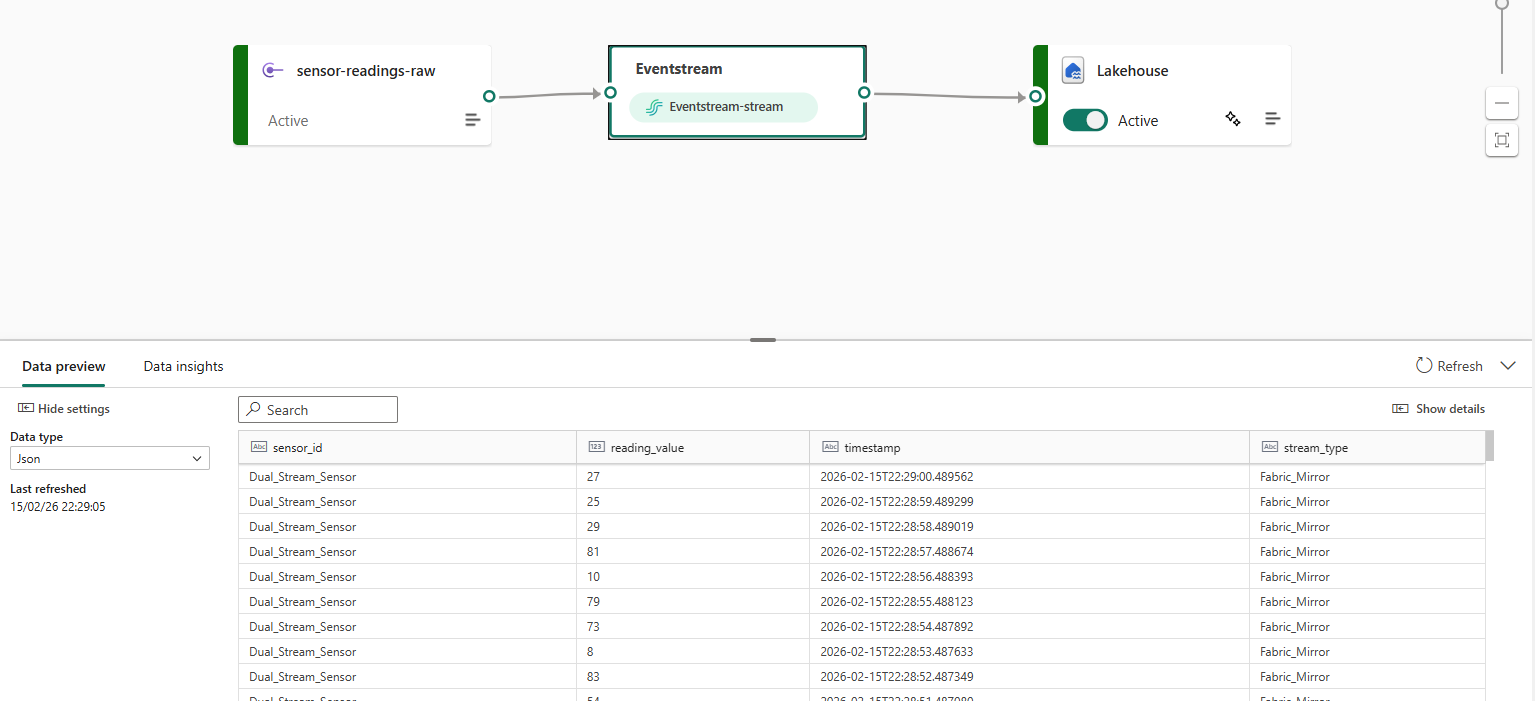
The messages are being sent and, like magic, the readings are landing:
Phase Two: Takeaways
Given the work that's been involved in phase one, I am both excited and nervous about how quick phase two was. In many ways, I've seen all this before. First as integration services, with all the little modular boxes for performing data engineering tasks, followed by data factory, then synapse analytics... at all stages, I've watched that turn into a "EXEC sp_script" type structure. Nobody is using the modules as intended, they're just using the service to orchestrate code.
Eventstream feels different. Not only does it feel like it plugs in, but it doesn't "run" per se. It simply collects and ingests at ALL times. I hate working and talking in terms of vague 'feelings', but it's simply too clean to ignore. Within a couple clicks I had enough information to set the feed up - it's probably about five minutes work in total.
That being said, it's simply not configurable. In the wide world of point-and-click vs configuration-minefield, the cons of the former has always been an abject lack of customisation - and for some orgs this is simply critical. We see, consistently, how customers need to adjust standard, out-the-box software, to help deliver on the needs of a business, and eventstreams might be the next in a long line of those scenarios - albeit, much like other low-code scenarios, the use cases are likely plentiful enough to get it busy with a vast volume of work.